Private beta macOS arm64 only · Linux & Intel on the roadmap

WordPress dev,
at the speed of thought.

Native nginx, PHP-FPM, MySQL, and Redis on macOS. Zero Docker. Zero VMs. Production-ready sites in ~30 seconds — and now drivable entirely by AI through MCP.
curl · install · done  —  one static Go binary, no runtime deps
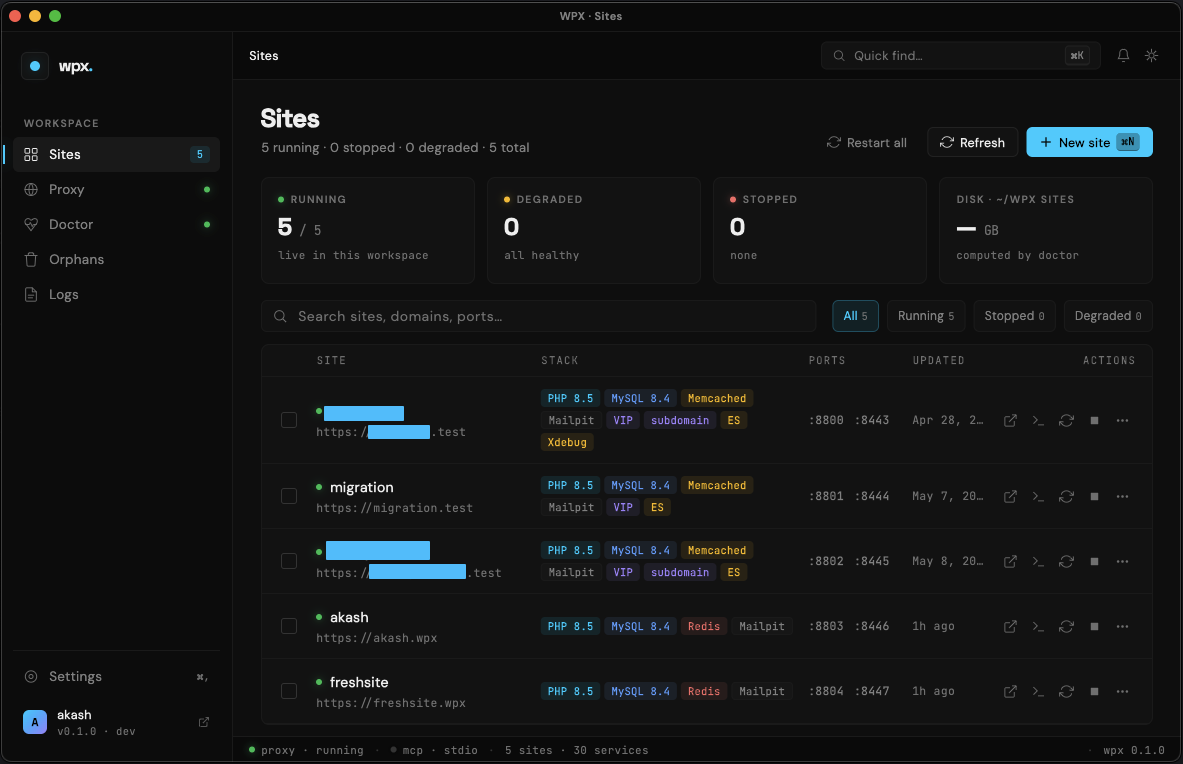
wpx desktop app — home view with all WordPress sites
~30s
Cold-start to working WordPress
0
Docker containers · zero VMs
Go
Single static binary · no runtime
55+
MCP tools · 18 categories
Watch wpx in 90 seconds

See it before you sign up.

Two short demos: the terminal UI, and an AI assistant driving wpx through MCP.

CLI + TUI

Create, manage and debug WordPress sites from a beautiful terminal UI.

02:14

MCP for AI assistants

Drive wpx from VS Code, Cursor, Claude Desktop or any MCP client — in natural language.

03:47
Why wpx

Fast. Native. AI-ready.

Three things that make wpx different from every other local WordPress tool.

~30s cold start

Blazing fast.

Native processes, parallel provisioning, and a Go engine that doesn't wait for Docker, VMs, or containers to boot. Cold-start beats every competitor by 3–5×.

🔧
Written in Go

One static binary.
Zero runtime deps.

The CLI, the MCP server, and the engine behind the Flutter desktop app are all pure Go. Ships as a single wpx binary — no Node, no Python, no Ruby.

🤖
AI-native via MCP

55+ tools your agent already understands.

Ships an MCP server out of the box. Plug it into VS Code, Cursor, Claude Desktop, Zed — your agent can create sites, run WP-CLI, query the DB, even rescue broken sites. Hands-free.

Go · terminal-native

CLI

wpx create mysite — done in ~30s. Single static binary, zero runtime deps.

Flutter · macOS native

Desktop app

Point-and-click GUI over the same Go engine. ⌘K palette, live status, direct-DB rescue.

Go · AI-ready

MCP server

55+ tools your agent already understands. Plug into VS Code, Cursor, Claude Desktop, Zed.

Spotlight · Desktop app

The full power of wpx, in a window.

A native macOS app written in Flutter over the same Go engine. Every CLI capability, with a point-and-click UI and live observability.
  • ⌘K command palette — jump to any site, screen or action in milliseconds.
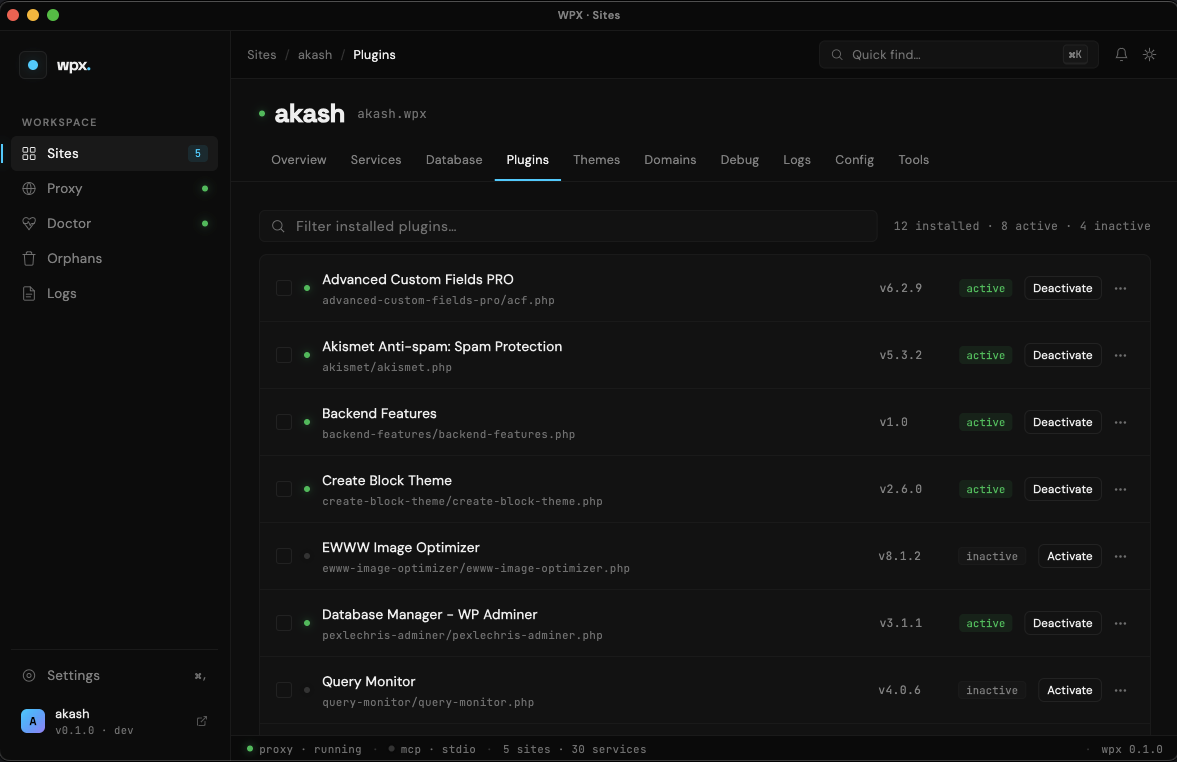
  • Direct-DB plugin / theme toggle — one click rescues sites that wp-cli can't load.
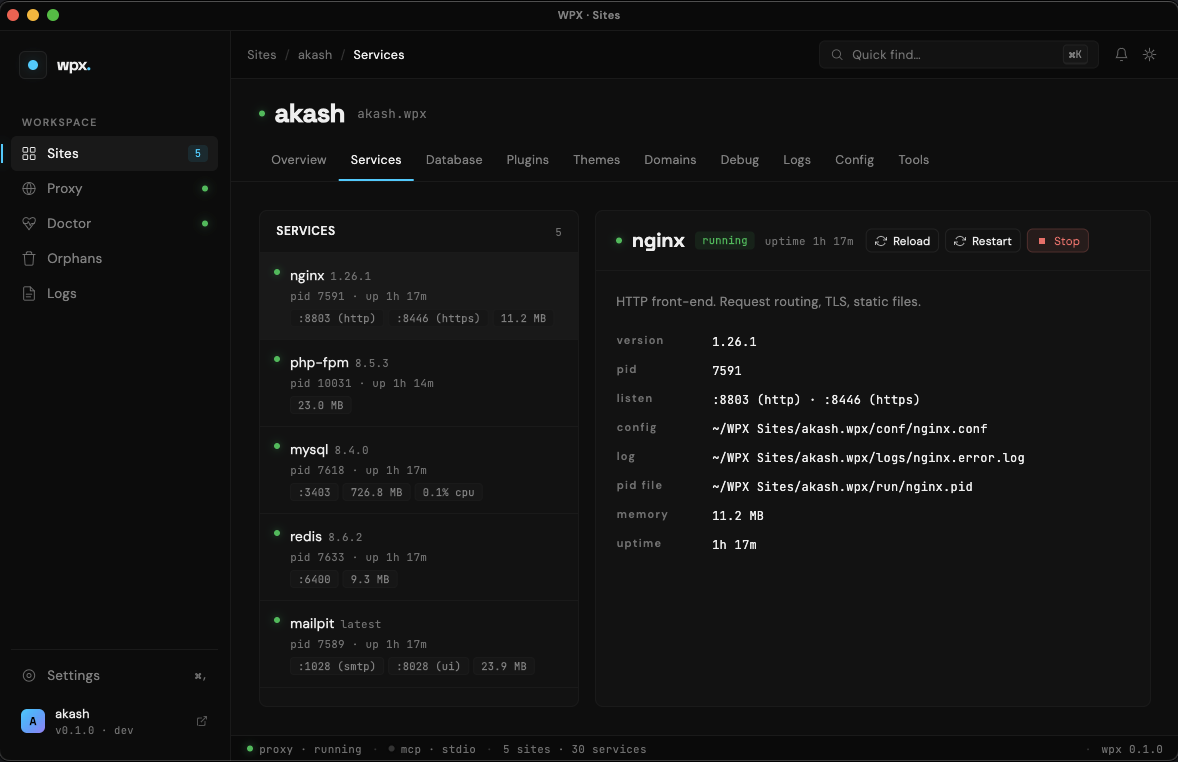
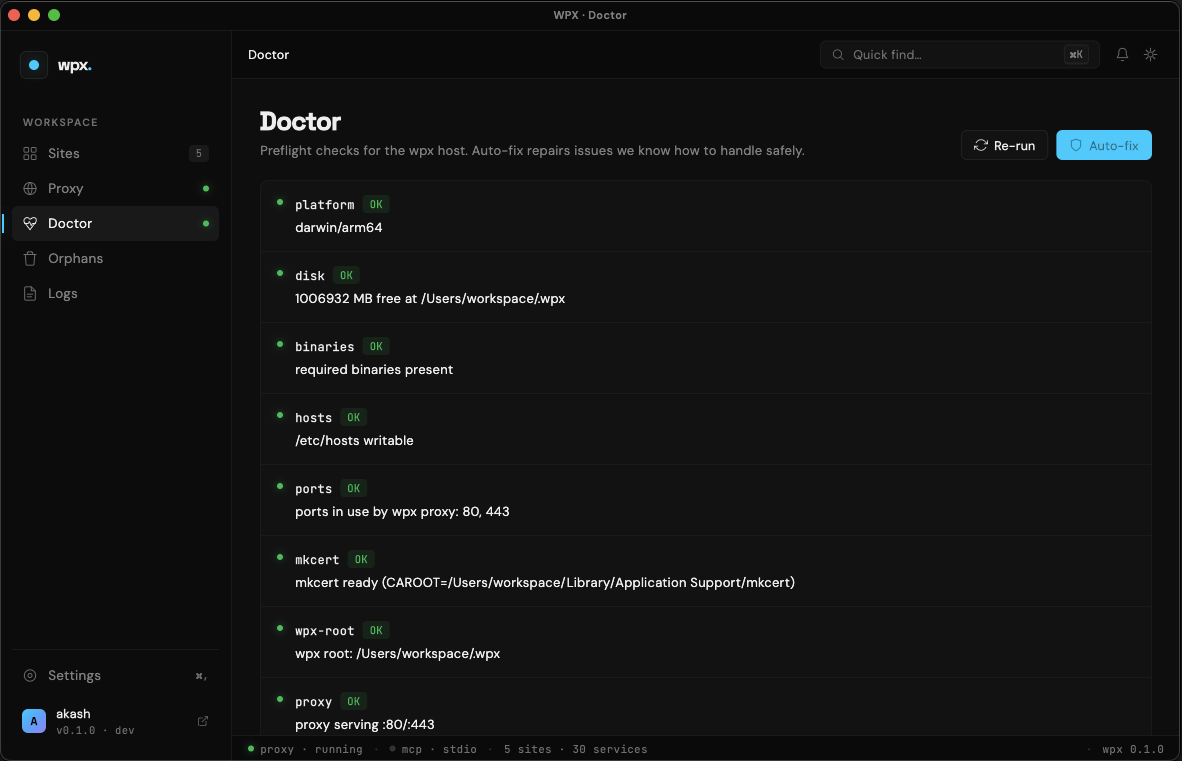
  • Live service status — PID, port, CPU, memory, version for every native service.
  • Notifications drawer — replay every toast surfaced this session.
Tour every screen →
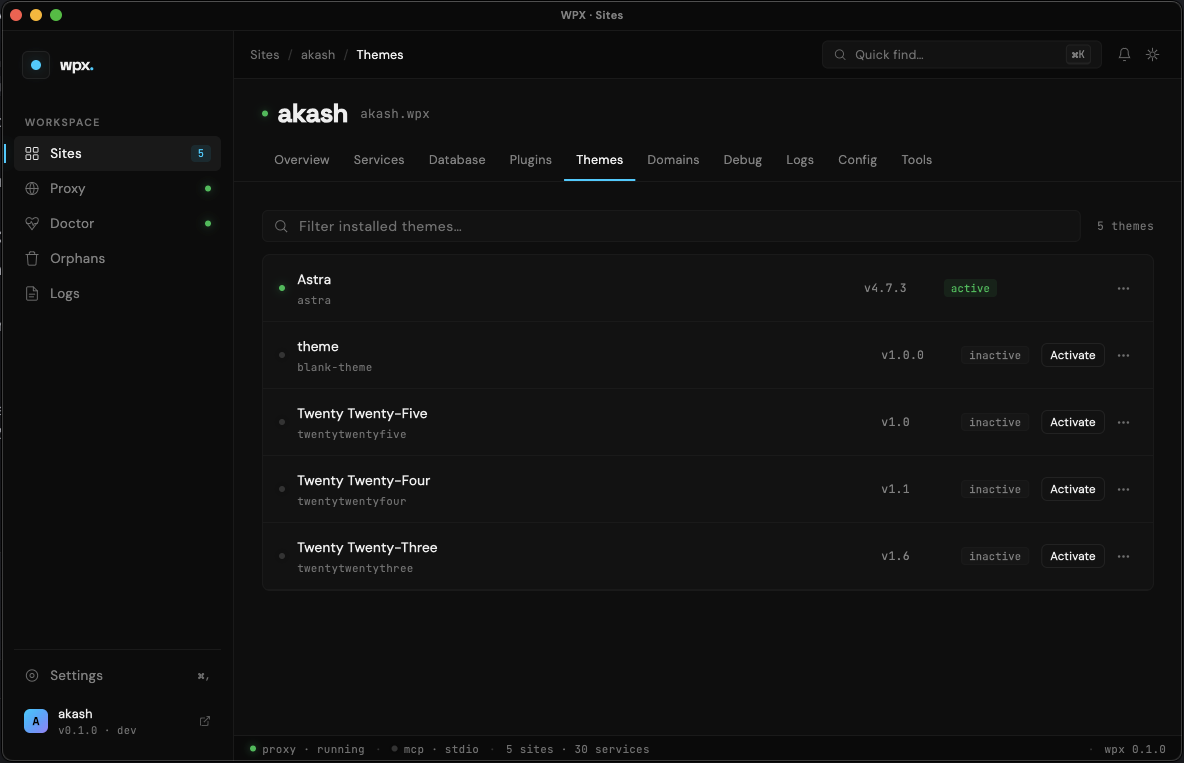
desktop · plugins
wpx desktop app — plugins panel with direct-DB rescue toggle
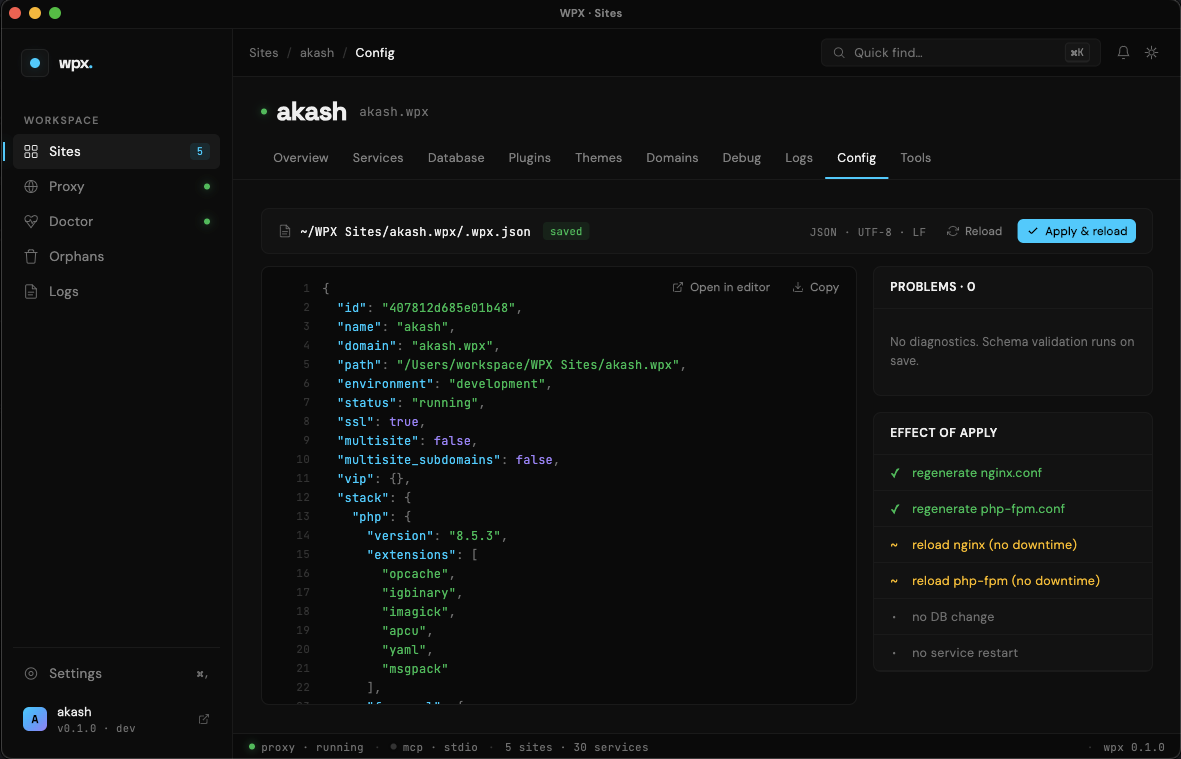
~/.cursor/mcp.json
wpx mcp · listening on stdio
{
  "mcpServers": {
    "wpx": {
      "command": "wpx",
      "args": ["mcp"]
    }
  }
}
55 tools across 18 categories available to your agent.
Spotlight · MCP server

Your AI assistant, now fluent in WordPress.

Plug wpx into VS Code, Cursor, Claude Desktop, Zed — or any MCP-compatible client. Drop in 5 lines of JSON. Your agent inherits the full wpx toolbox.

  • 55+ tools, 18 categories — site lifecycle, DB queries, WP-CLI passthrough, search-replace, pull from production, rescue, doctor, logs, services.
  • Hands-free site setup — "spin up a fresh multisite with PHP 8.3 and import the gamespot dump" → done.
  • Direct-DB queries — bypass wp-cli + VIP restrictions when you need raw SQL.
  • One-click config — copy the JSON snippet from the desktop app, paste into your client.
Watch MCP demo ↗
Inside the desktop app

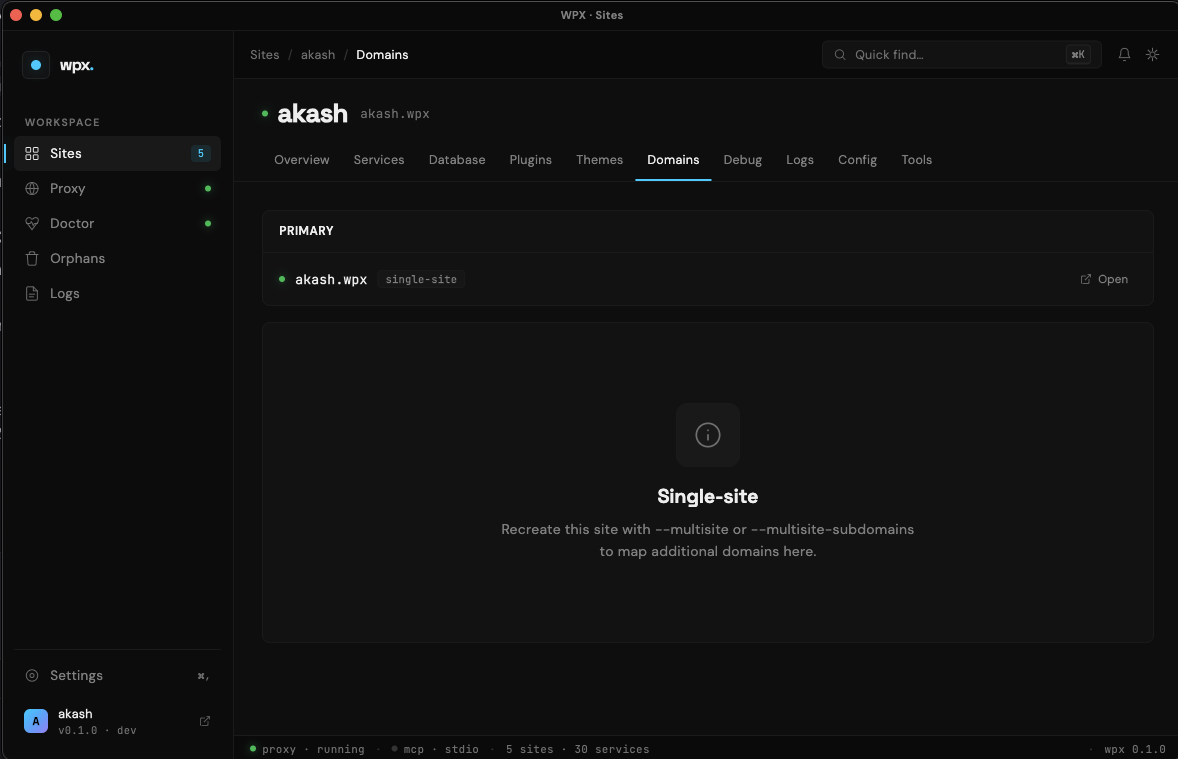
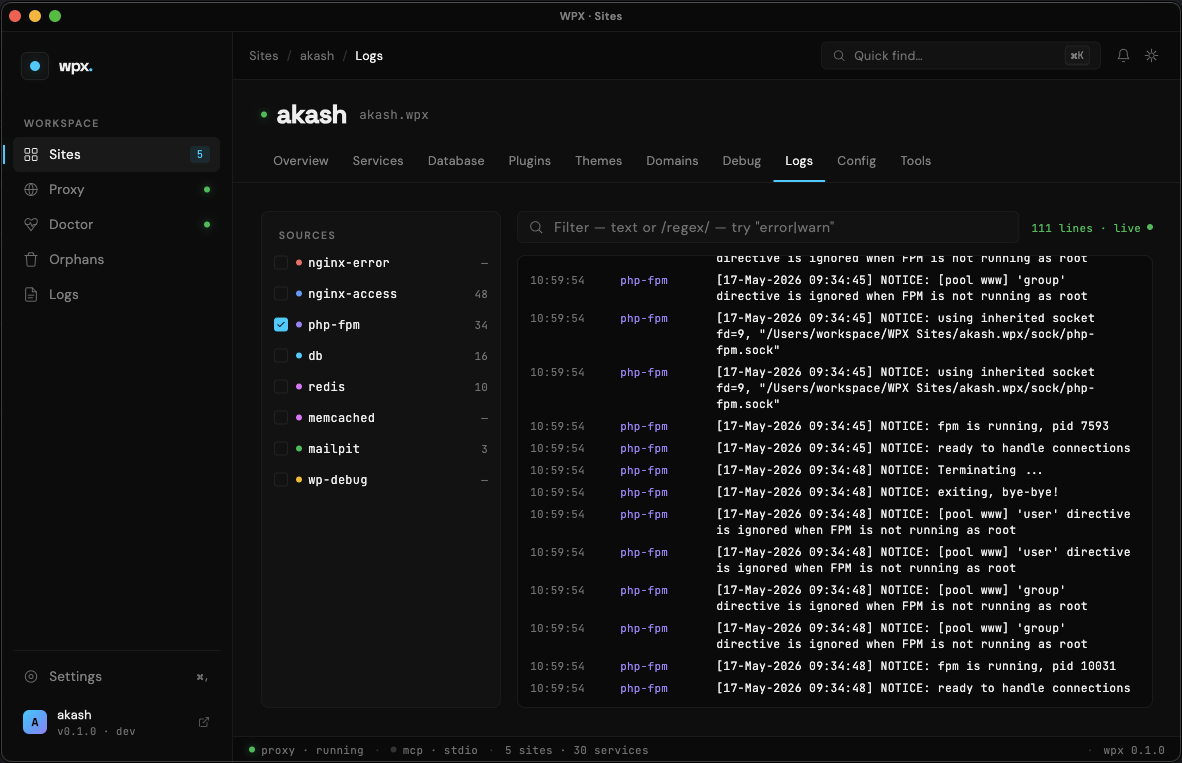
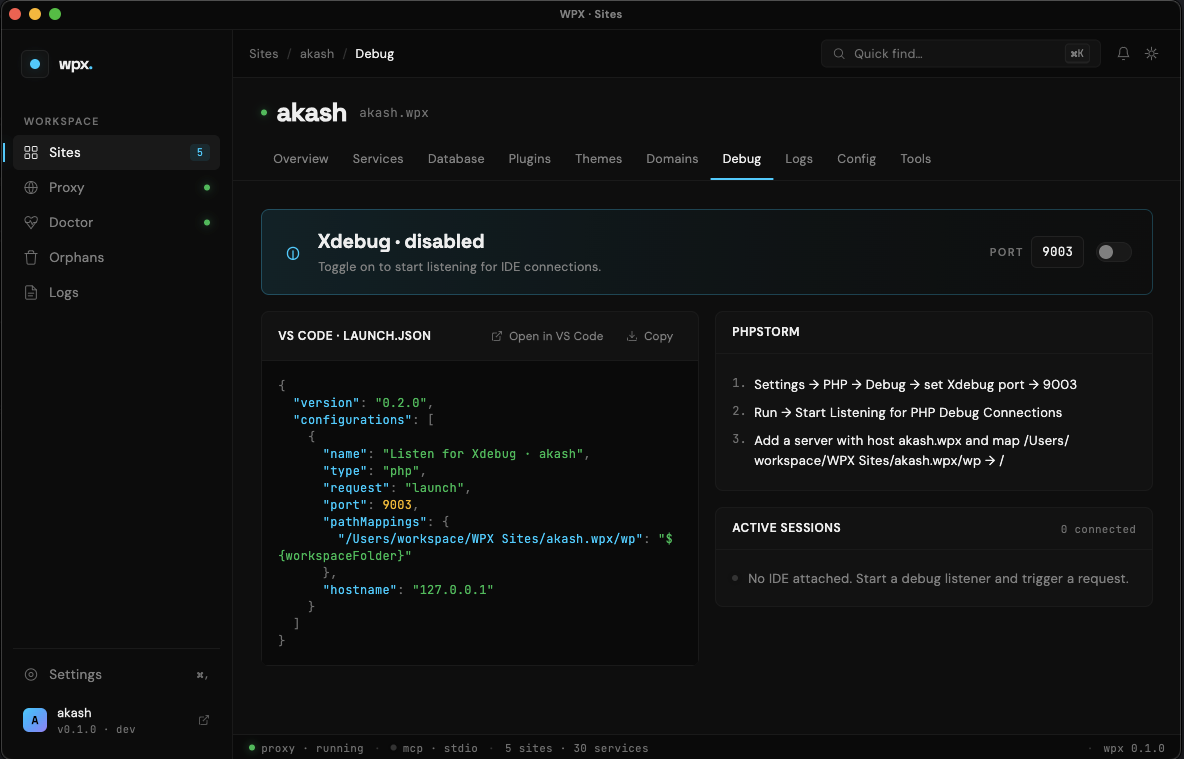
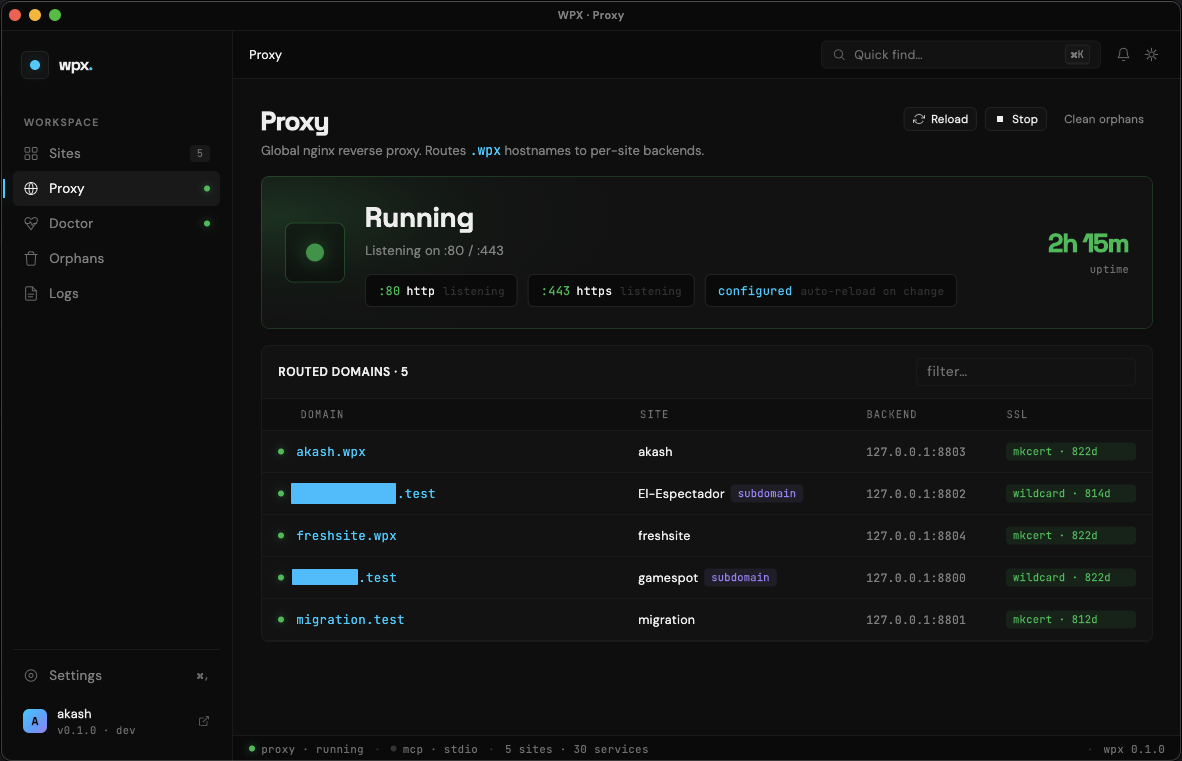
Every screen, designed for speed.

A native macOS app over the same Go engine. Click any tab to preview the screen.
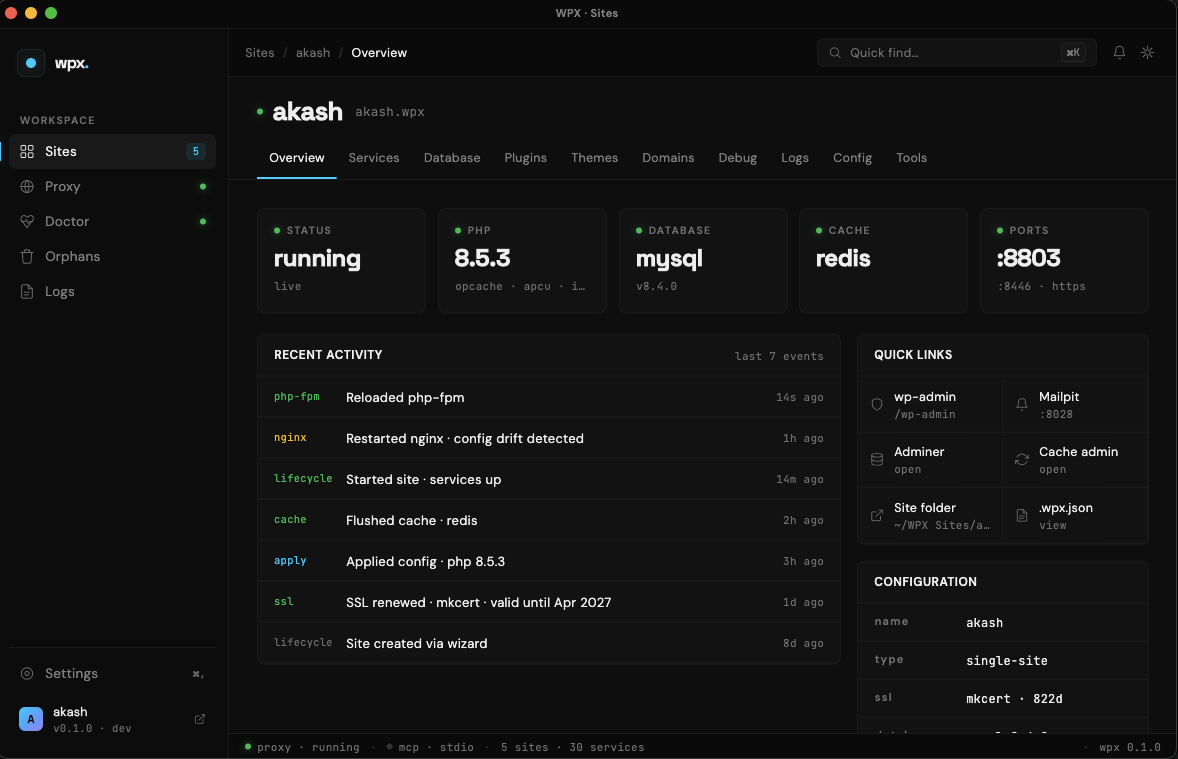
wpx desktop app — home
Speed comparison

3–5× faster than the alternatives.

Cold-start time from $ create to a working WordPress site you can browse.

wpx
~30s
Docker (LEMP)
~120s
Manual install
15+ min
Cold start, fresh WordPress install on Apple Silicon (M2, 16GB).
Want to try it? Request early access →
Command showcase

Built for the terminal — and for your agent.

14 commands, one mental model. Click a tab to preview the output.

$ wpx create mysite --php=8.3 --multisite copy
stack nginx + php-fpm 8.3 + mysql 8.4 + redis
multisite subdirectory layout
https mkcert · *.mysite.wpx
proxy registered :80/:443
Ready at https://mysite.wpx · 30.0s
Batteries included

Every dev tool you'd otherwise install yourself.

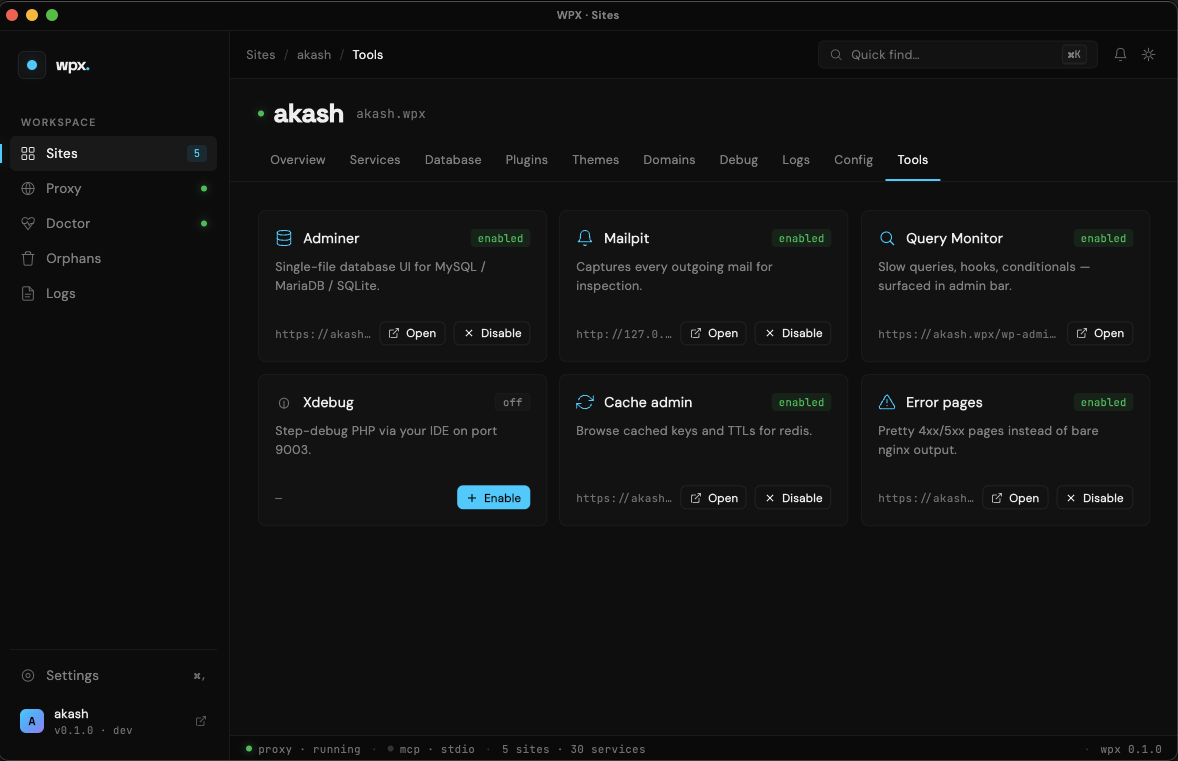
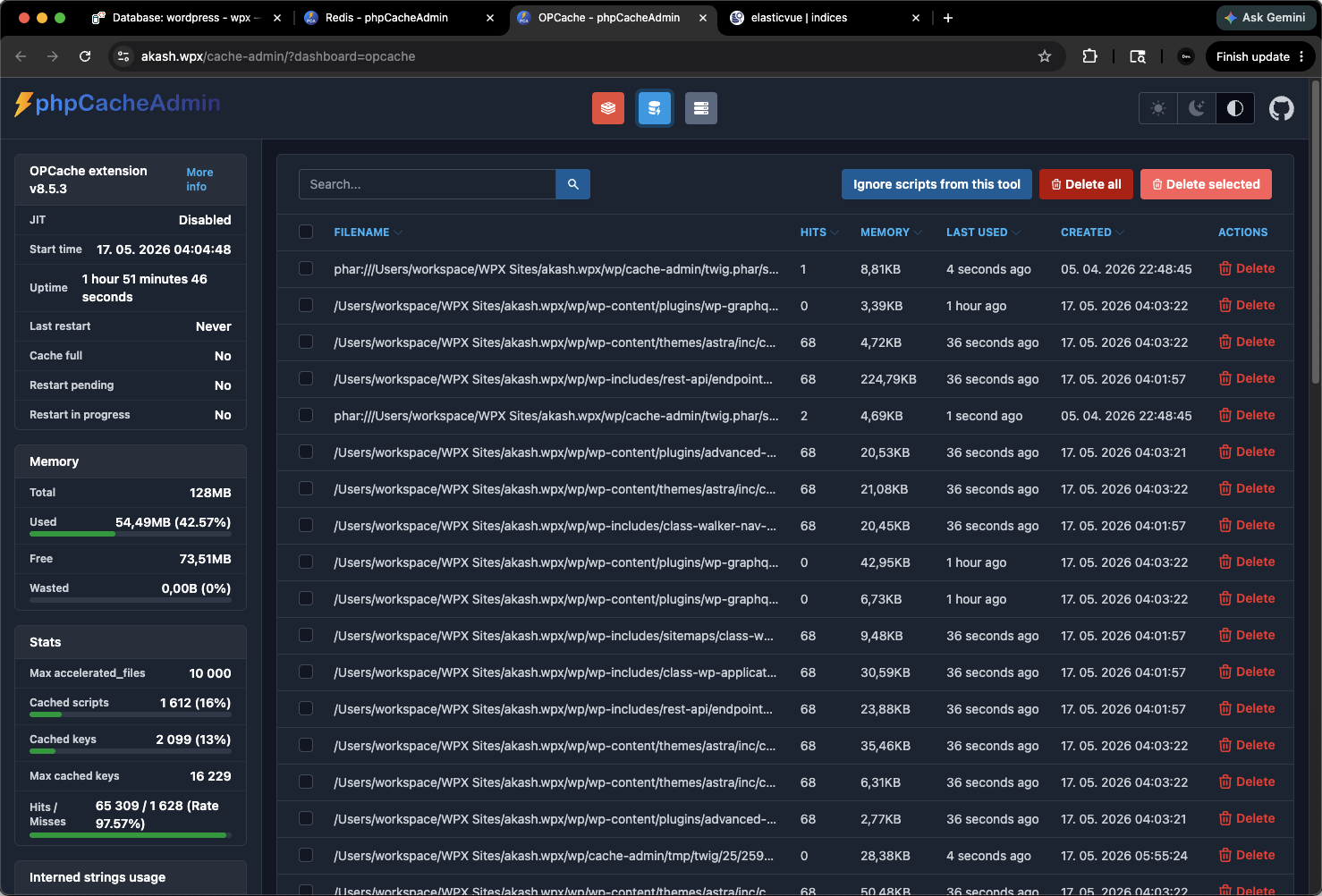
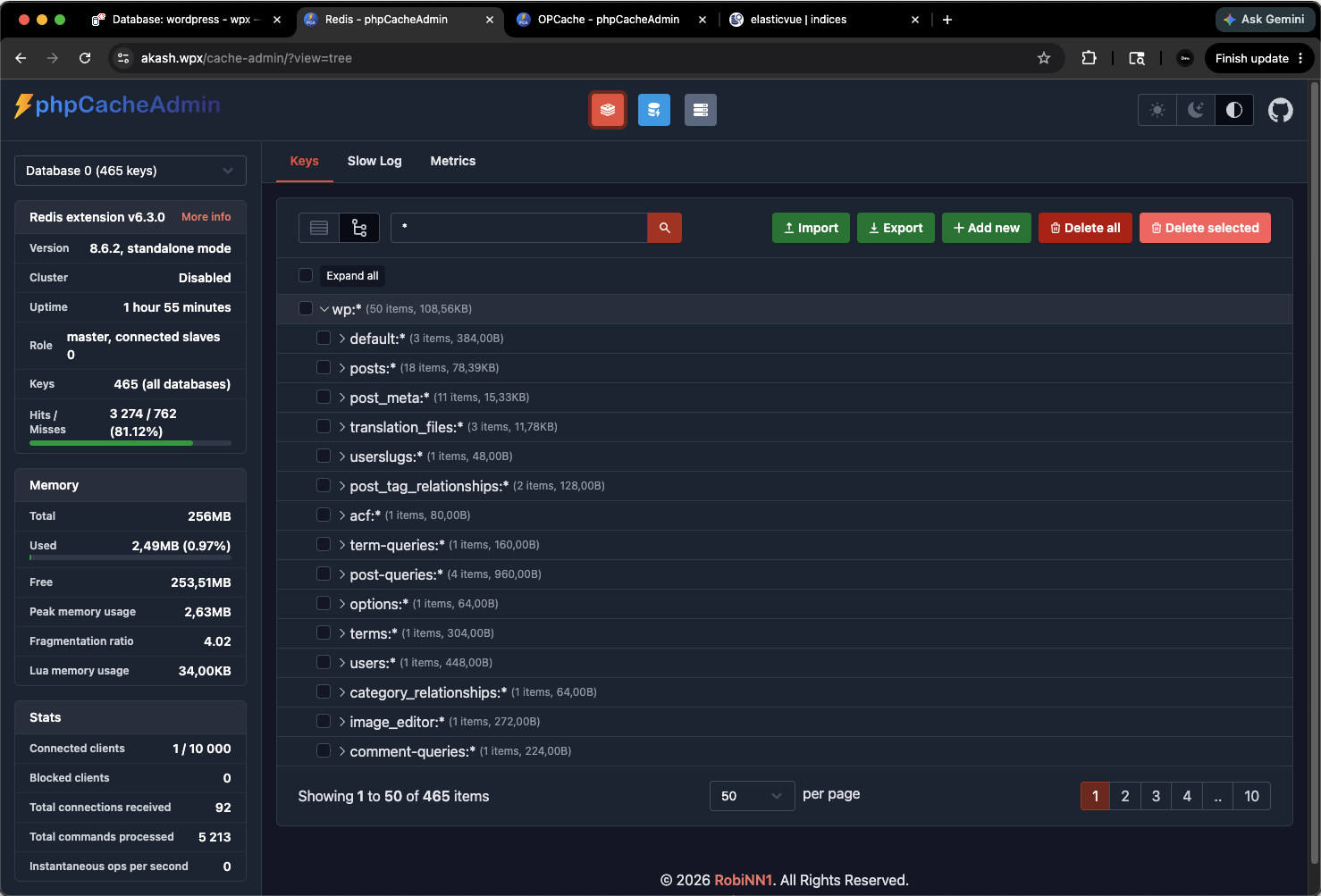
Every wpx site ships with a full set of native web admin UIs for the bundled services — no Docker, no separate install, no extra config.
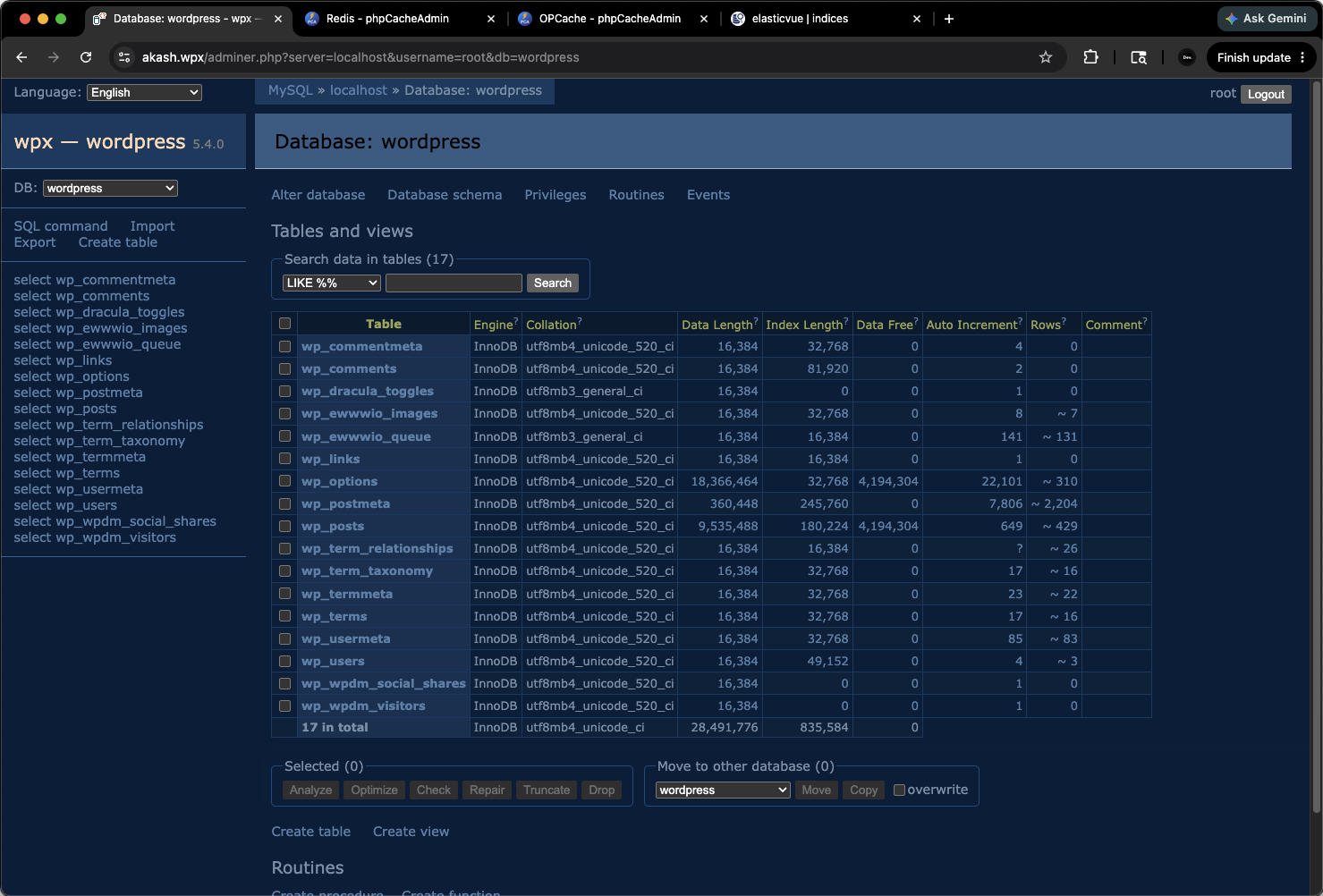
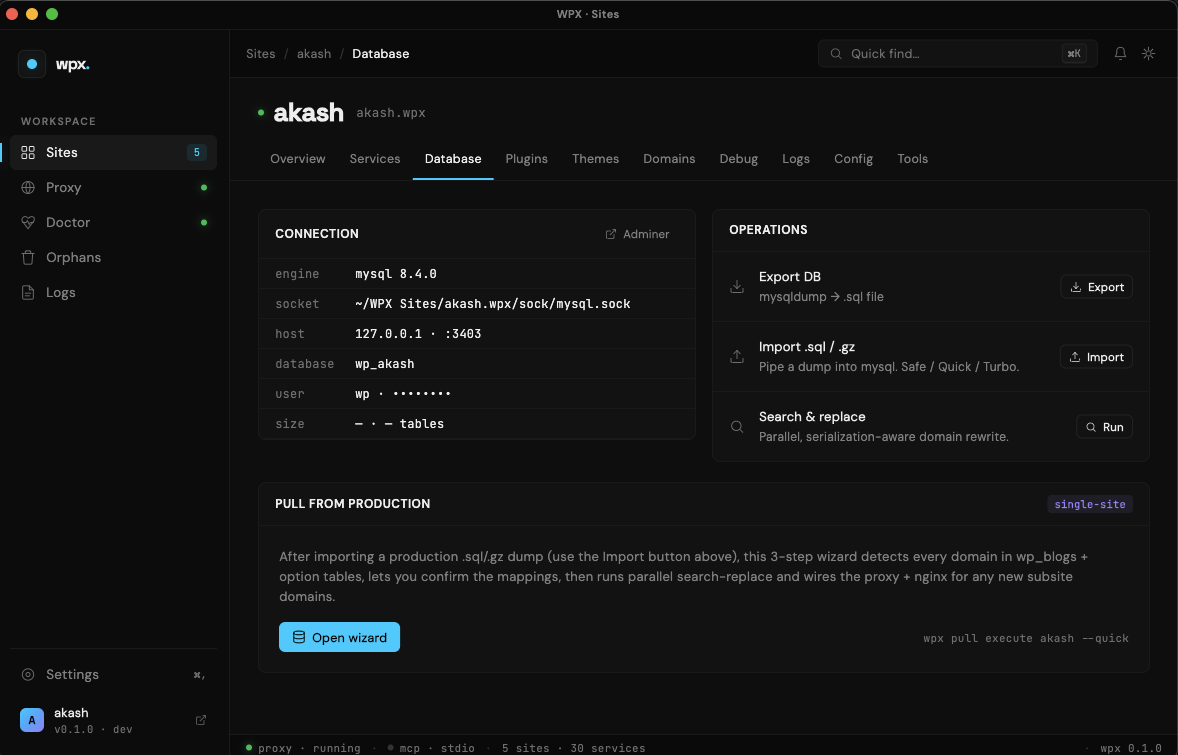
Adminer database browser bundled with wpx

Adminer

Browse, query and edit MySQL / MariaDB — in your browser, per-site.

DB
Redis and Memcached admin UI bundled with wpx

Cache admin

Inspect, flush, and benchmark Redis or Memcached without leaving the browser.

Cache
PHP OPcache admin UI bundled with wpx

PHP OPcache

Live OPcache stats, hit ratio, memory usage, and per-script invalidation.

PHP
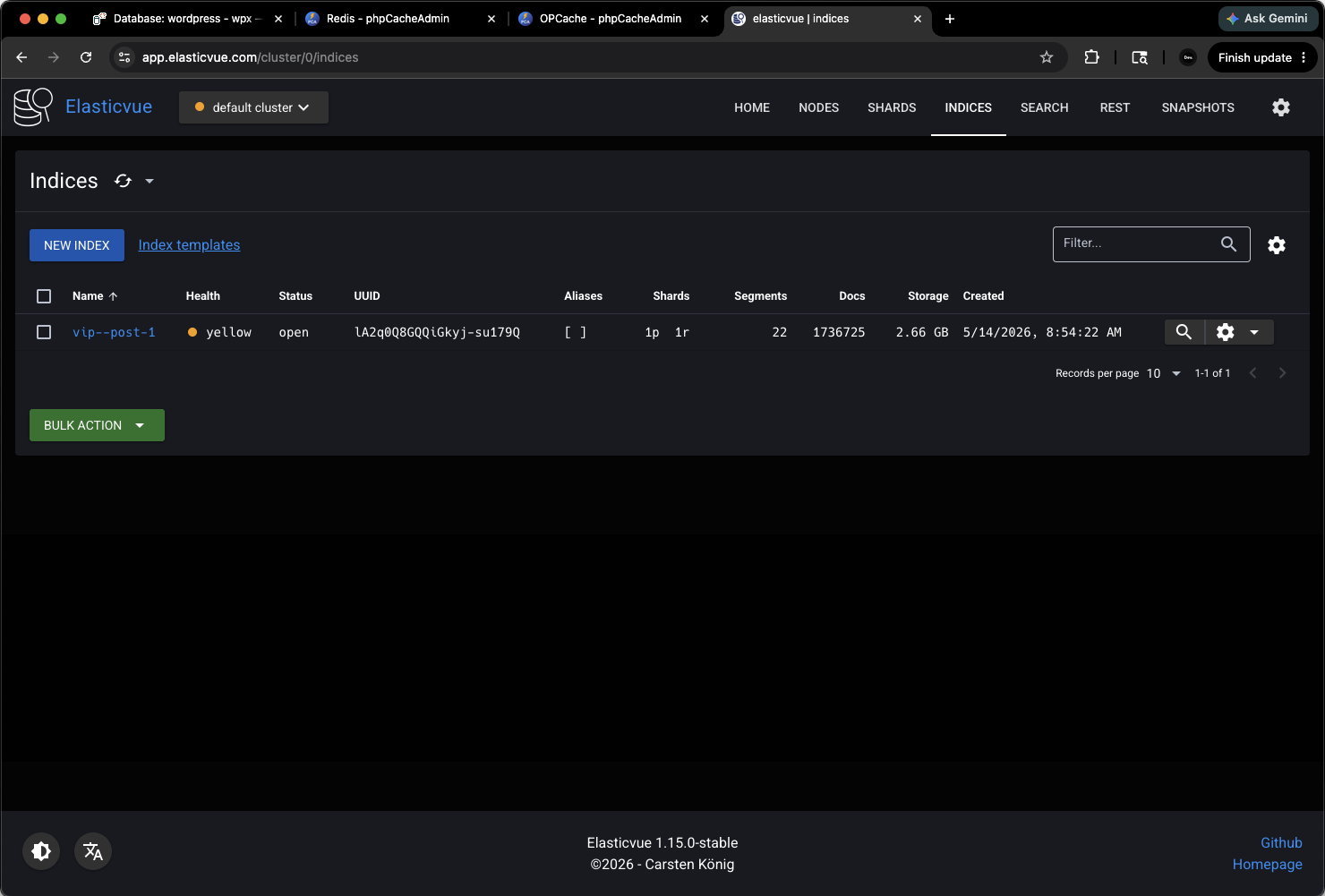
Elasticsearch admin UI bundled with wpx VIP preset

Elasticsearch UI

Browse indices, run queries, inspect mappings — ships with the VIP preset.

Search

// also bundled: Mailpit · mkcert CA · reverse proxy console

Stack matrix

Pick a stack. Or take the defaults.

Every service runs natively. No containers, no VMs, no waiting.

ServiceOptionsDefault
Web servernginxnginx (latest)
PHP8.0 · 8.1 · 8.2 · 8.3 · 8.4 · 8.5latest
DatabaseMySQL · MariaDB · SQLiteMySQL
CacheRedis · Memcached · noneRedis
SearchElasticsearch (native)off
MailMailpiton
Feature highlights

Every superpower a WordPress dev wants.

🔒

Auto SSL

mkcert-issued locally-trusted HTTPS — no browser warnings, ever.

🌐

Global reverse proxy

All sites on :80/:443, switch by hostname.

🗂️

Multisite ready

Subdir or subdomain, wildcard SSL, custom domain mapping out of the box.

🏢

VIP Go preset

--vip spins up memcached + Elasticsearch for enterprise WP.com VIP.

🐛

Xdebug toggle

wpx xdebug on mysite and you're stepping — IDE config returned.

⚙️

WP-CLI baked in

wpx wp mysite … works out of the box. Real shell quoting too.

🛟

Direct-DB rescue

Disable a fatal-error plugin even when WordPress is crashing — CLI, app or MCP.

⬇️

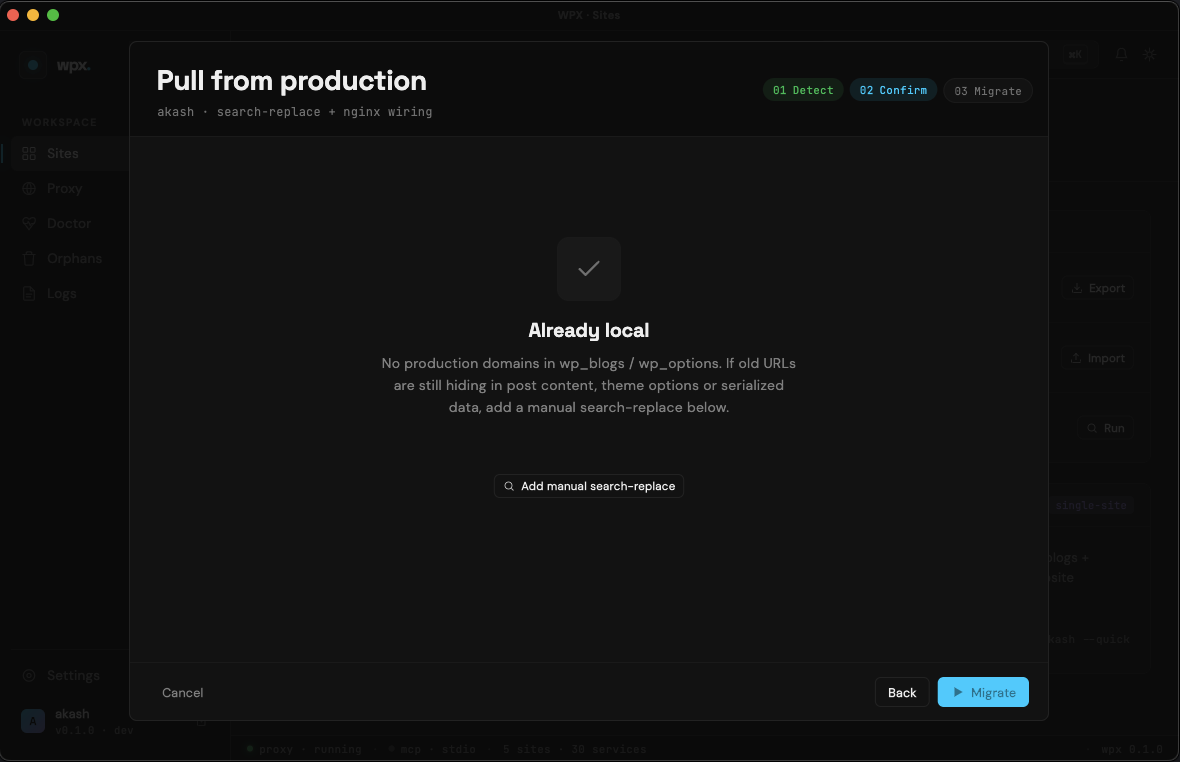
Production pull wizard

Detect prod domains → review mappings → search-replace + reproxy in one go.

🩺

Doctor + auto-fix

wpx doctor --fix heals ports, hosts, mkcert CA, binaries, proxy.

🧹

Orphan cleanup

Reap stale PIDs and port conflicts from previous runs in one command.

⌘K Command Palette

Fuzzy-navigate sites, pages and actions in milliseconds — in the desktop app.

⬆️

Self-update

wpx self-update upgrades the CLI and desktop app in one command.

MCP clients

Works with the agent you already use.

// 55+ tools · JSON config copy-paste from the app · any MCP-compatible client

VS Code Cursor Claude Desktop Zed Continue …any MCP client
Roadmap

Honest about what ships today.

Building in public. Here's exactly what's live, what's next, and what's later.

Shipping now · Private beta

macOS arm64 (Apple Silicon)

  • CLI + TUI
  • macOS desktop app (Flutter)
  • MCP server · 55+ tools · 18 categories
  • Self-update · CLI & app together
  • Direct-DB rescue tools
Next

Broader reach

  • macOS Intel
  • Linux amd64
  • Docker runtime (opt-in)
  • More PHP versions on tap
Later

Teams & hosted

  • Windows (WSL)
  • Team sync · shared site state
  • Hosted dashboards
  • Plugin marketplace integrations

Have a use case you don't see? Tell us in the form →

Early trial access

Be first in line.

Private beta invites go out weekly. Create an account at saas.auth.xcode.cx and verify your email, then drop your details below so we can prioritise your slot.

Which platform do you need? *
How do you set up local WordPress today? *
Anything you're hoping wpx solves? *(pick all that apply)

// takes 30 seconds · no spam · unsubscribe anytime

You're on the list.

We'll email you the moment your invite is ready.

Star us on GitHub ↗

Native WordPress dev,
without the wait.

Star the repo, then jump back up and grab your beta slot.

Request early access → Star on GitHub ↗